Notion YouTube Monetization Template
Track YouTube AdSense revenue, sponsorship income, affiliate earnings, and monthly payouts in one organized Notion monetization template.
What is a YouTube monetization tracker
This YouTube monetization tracker is a Notion template that helps you record, organize, and review the income generated by your YouTube channel.
Instead of keeping YouTube earnings across spreadsheets, notes, and disconnected dashboards, this Notion template gives you one structured place to track revenue by month, by income stream, and by individual record.
This Notion template is built for creators who want better visibility over the business side of their channel.
You can use it to log YouTube AdSense revenue, track affiliate income, record sponsorship payments, and review your monthly channel earnings in one place. The result is a cleaner system for understanding how your channel is monetizing over time.
This is not a generic creator finance sheet. It is a monetization tracker designed to help creators keep revenue records organized and make channel income easier to monitor inside Notion.
Notion YouTube monetization template features
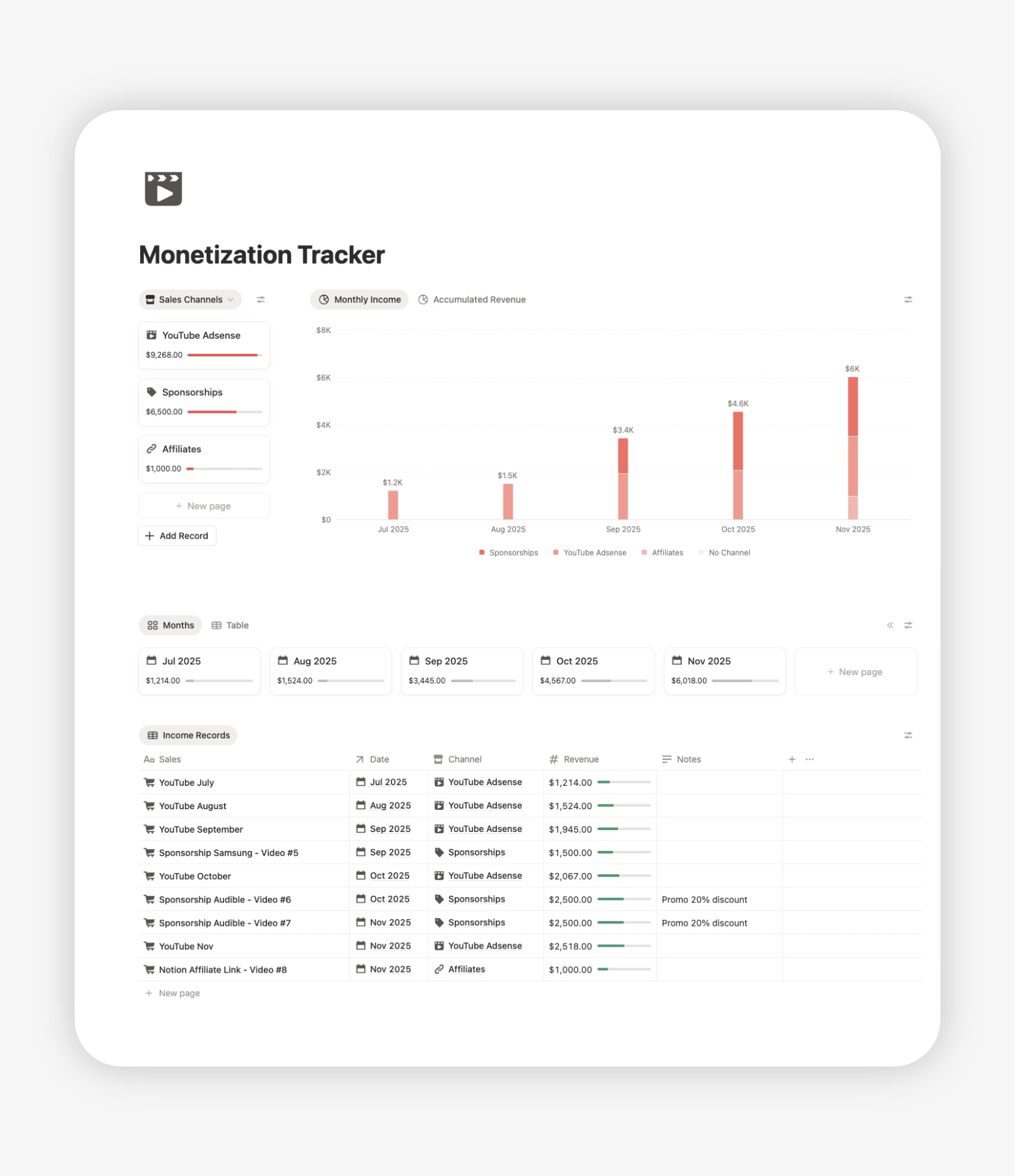
This template is designed to help you track the main revenue streams that creators commonly manage around a YouTube channel.
YouTube AdSense revenue
Track recurring YouTube AdSense earnings with clear monthly records so you can review channel income over time instead of checking isolated payouts.
Sponsorship income
Record sponsored video payments and keep them visible as a separate revenue stream, so brand deal earnings do not get mixed with platform revenue.
Affiliate income
Track income generated through affiliate links tied to your content and keep a more complete picture of how your YouTube channel makes money.
Monthly channel earnings
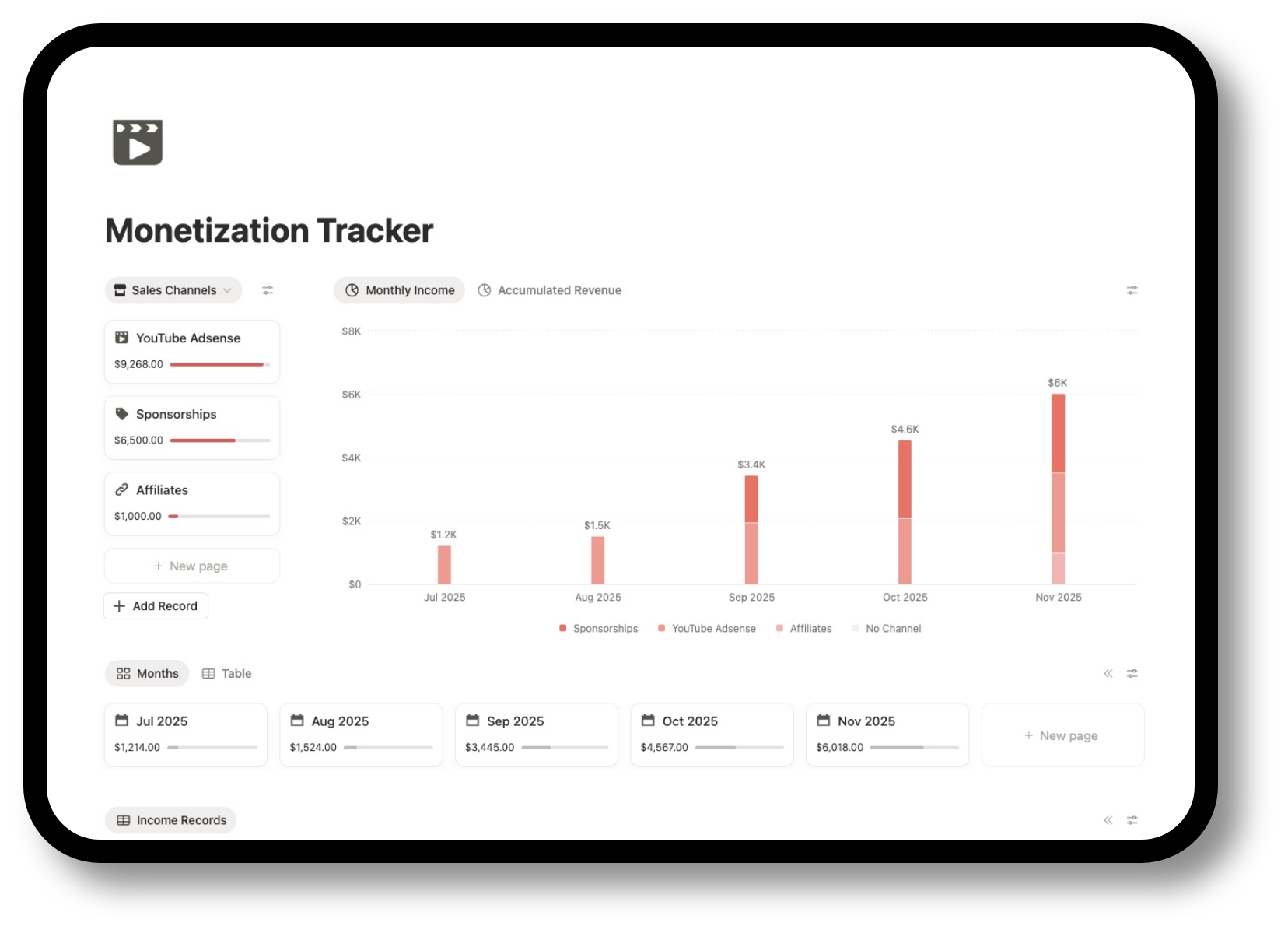
Review total YouTube income by month to understand how your monetization evolves over time, not just as individual payments.
Revenue by income stream
See how much of your channel revenue comes from AdSense, sponsorships, and affiliates so you have a clearer view of your monetization mix.
Individual revenue records
Log each payout, deal, or earnings entry as its own record to keep your channel revenue history more organized and easier to review later.
How it works
Duplicate the template
Sign in to Notion (it’s free), open the link you’ll receive after your purchase, and in the top right corner of the screen you’ll find a button to duplicate the monetization tracker in your personal workspace.
Log every revenue entry in one place
Each income record can be stored inside the same monetization system, making it easier to keep track of channel earnings without jumping between tools.
Review YouTube earnings month by month
The monthly structure helps you understand how revenue changes over time, which is especially useful when your income is growing or becoming less predictable.
Separate AdSense, sponsorships, and affiliate revenue
Instead of mixing all channel income together, you can keep different monetization streams organized and visible as separate categories.
Use charts to visualize channel revenue
A revenue chart makes it easier to spot patterns, compare months, and understand whether your monetization is trending up, down, or becoming more diversified.
Keep a cleaner record of YouTube payouts
When each revenue entry is recorded properly, you get a more reliable view of what your channel is actually generating.
Use this YouTube monetization tracker inside the Notion YouTube Planner
The monetization tracker helps you organize income. The full YouTube Planner helps you connect income tracking with content planning, video management, scripting, and sponsorship workflow.
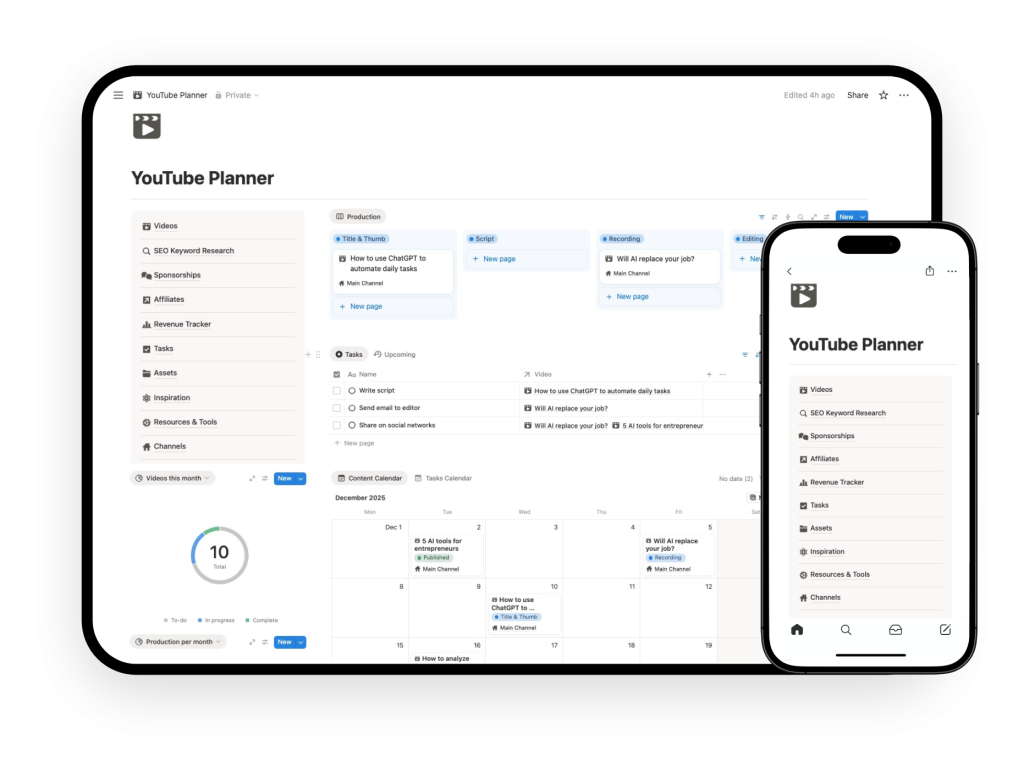
Inside the complete system, monetization is no longer isolated from the rest of your channel workflow. It becomes part of how you plan, publish, and grow the channel. With the full planner, you can:
Link sponsorships and affiliates to videos
Instead of tracking income as disconnected records, you can tie sponsorships and affiliate-related earnings back to the videos they came from. That gives you a clearer view of what content is actually generating revenue.
Plan content and monetization in one place
Manage video planning and monetization inside the same workspace, which makes it easier to align content output with business goals.
Check relationship between videos, revenue and channel growth
When planning, production, and monetization live together, you get better visibility into how your channel operates as a business, not just as a publishing workflow.
If you want to manage both videos and monetization in one place, the full Notion YouTube Planner is the better option.