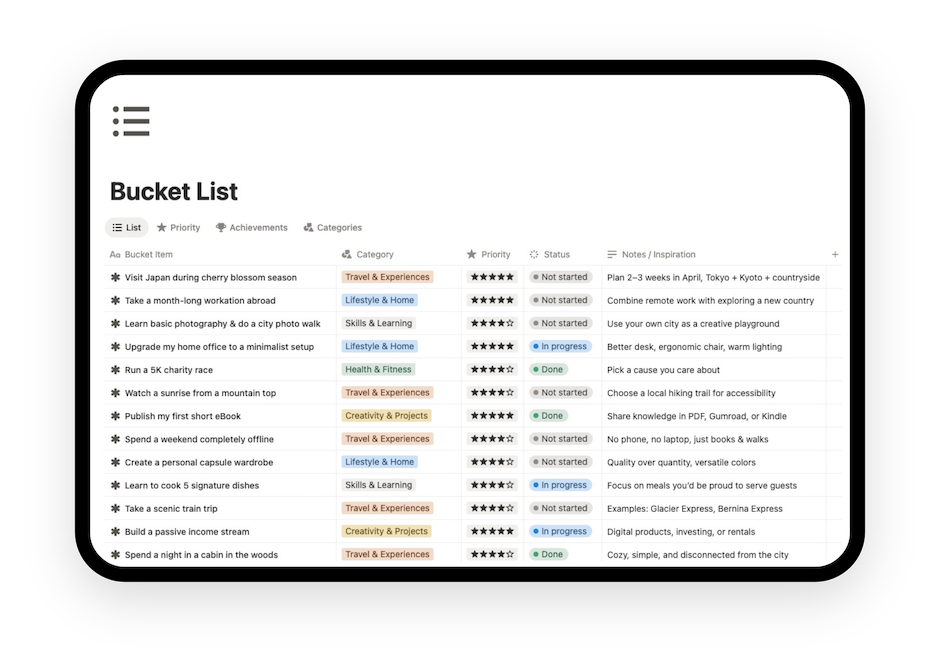
Notion Youtube Planner Template
Plan content, manage videos, organize scripts, track monetization, and handle sponsorships in one connected Notion YouTube planner template for YouTubers.
Notion YouTube Planner Features
• Content Pipeline – A full end-to-end workflow covering ideas, scripting, production stages and publishing.
• Production Tracker: Track video ideas, in-progress content and finished uploads.
• Content Calendar: Plan and schedule videos with a clear, visual calendar.
• Revenue Analytics: Monitor monthly earnings from AdSense, sponsors and affiliate programs.
• Sponsor CRM: Manage brand outreach, proposals, active sponsors and deal history.
• Affiliate Links Tracker: Keep track of affiliate links, products and performance.
• Asset Library: Organize media files, templates and reusable resources.
• Keyword Planner: Manage the SEO strategy.


Creator Dashboard
A central hub that gives you a clear, at-a-glance view of your entire YouTube channel(s) operation. The dashboard connects ideas, production stages, upcoming uploads, revenue insights and assets, so you always know what needs attention next. It turns a scattered workflow into a single, organized control panel built for creators who want clarity and direction.

YouTube content planner
Use the built-in content planner to organize your publishing schedule, manage your content pipeline, and keep visibility across what is planned, in progress, and ready to publish.
This section also works as your editorial content calendar. You can map ideas, assign statuses, track priorities, and build a more consistent content rhythm.
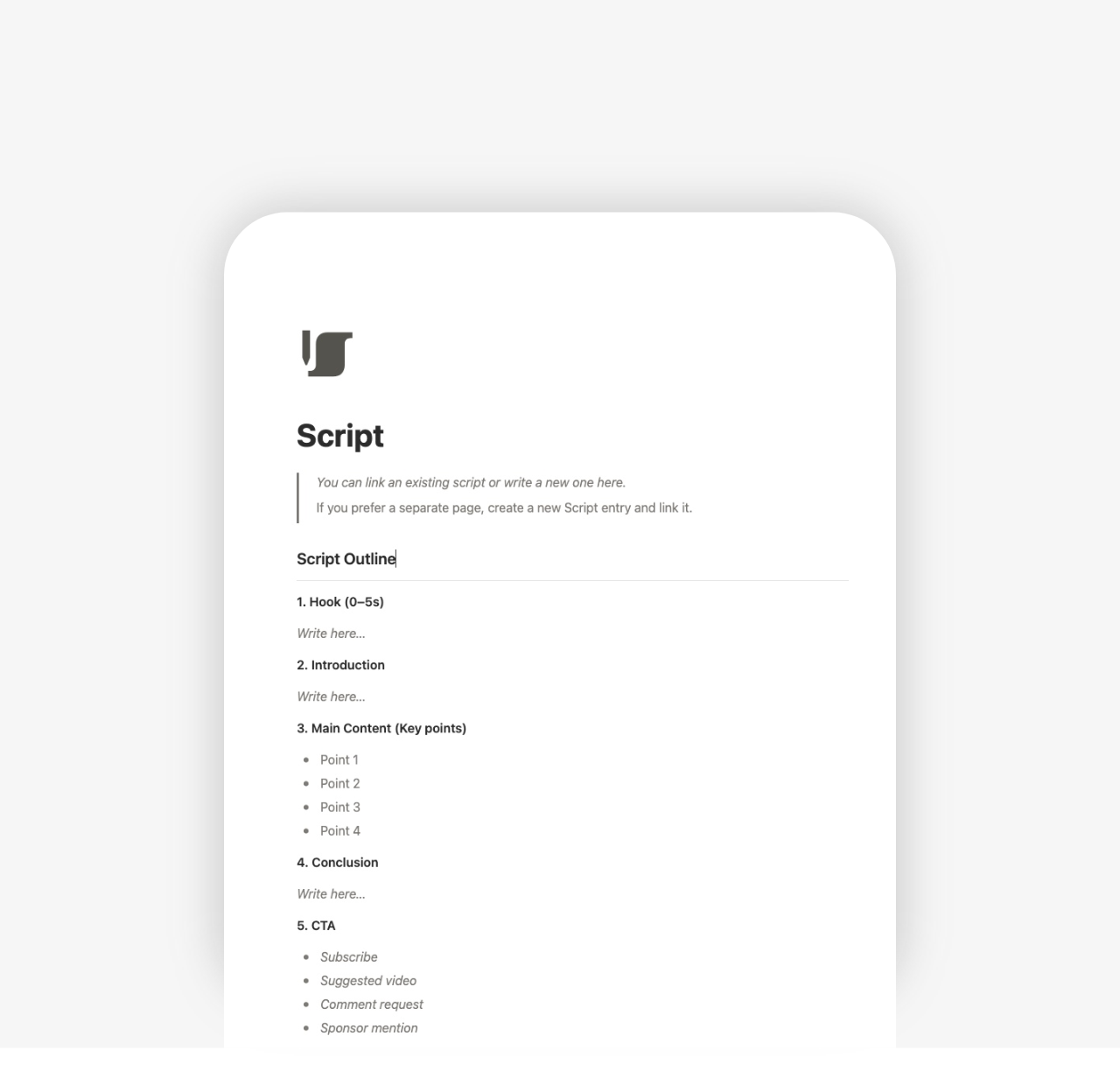
YouTube script template
The script module helps you write, organize, and manage scripts inside the same system you use to plan and publish content.
Instead of storing scripts in disconnected notes, you can keep each one tied to the right video, stage, and workflow. This makes it easier to move from idea to script to production without losing context.

YouTube video template
The video planner is designed to manage each video as an individual asset inside your channel workflow.
You can track concept, title, status, production steps, publishing progress, and related materials in one place. This gives you a clearer operational view of each video from start to finish.
Whether you create solo or manage multiple videos at once, the tracker brings order to the chaos of production.

YouTube monetization tracker
The monetization tracker helps you monitor how your channel is performing commercially.
Use it to track revenue streams, keep records of earnings, and build better visibility over how your YouTube business is developing over time.
Track monthly AdSense earnings, monitor affiliate performance and organize sponsorship deals.
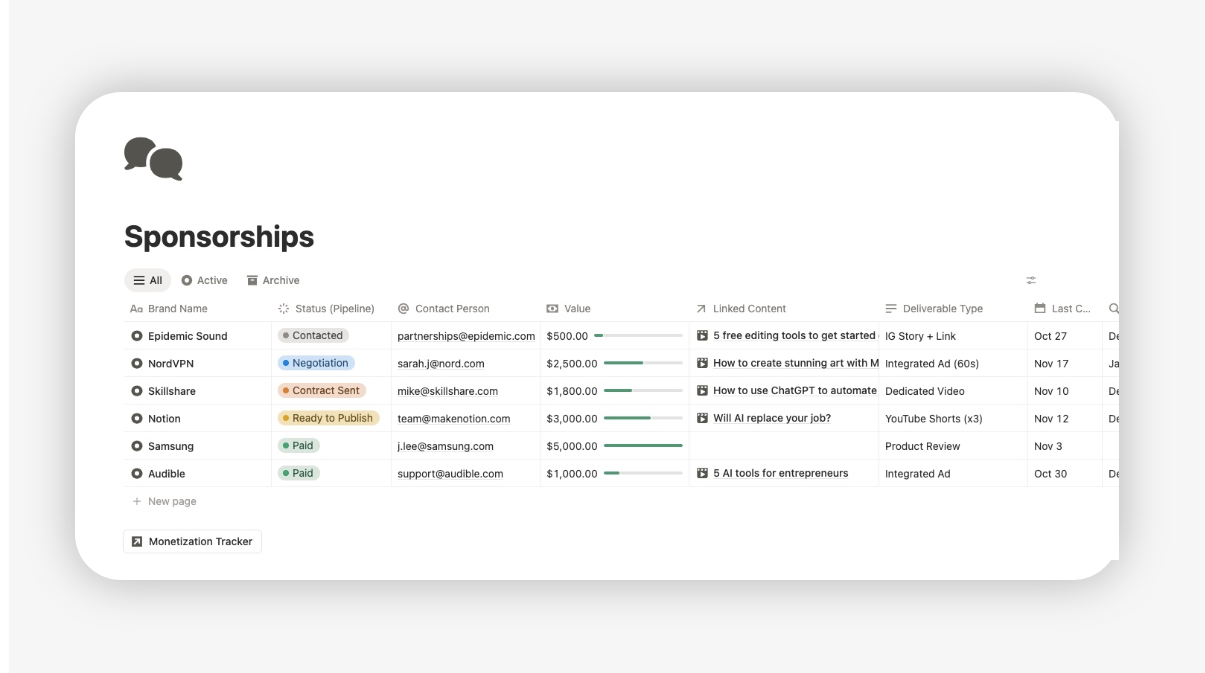
YouTube sponsorship tracker
The sponsorship template is built for managing brand deals, partnerships, collaboration status, and related notes.
If you work with sponsors or plan to, this section helps you keep conversations and opportunities organized instead of buried in emails and loose documents.

Assets Library
A dedicated place to store your thumbnails, scripts, templates, branding elements, B-roll and other creative materials. Everything is tagged, organized and easy to retrieve, so you stop losing time searching for files and keep your production flow fast and consistent.

SEO Keyword Planner
Plan and optimise your keyword research and channel’s search strategy. Tracks monthly search volume, competition level, and includes an automated Opportunity Score to highlight high-value keywords and link each one directly to your videos.
How this YouTube workflow works in Notion
This template is designed as a practical system, not just a collection of pages.
1. Capture ideas
Start by collecting video ideas in one place. Instead of losing topics across notes and tabs, you keep everything inside your content system from the beginning.
2. Plan the content calendar
Once ideas are captured, you can organize them into a content pipeline and publishing schedule. This makes it easier to see what is coming next, what needs to be prepared, and where gaps exist.
3. Develop scripts
As ideas move forward, you can build the script directly inside the planner. This keeps scripting tied to the video itself rather than separated into another tool.
4. Manage video production
Each video can move through its own workflow, with clear status tracking and space for production notes, assets, and progress visibility.
5. Publish and review results
When content is ready, the planner helps you manage publishing in a more structured way and maintain consistency over time.
6. Track revenue and sponsorships
As the channel grows, you can use the monetization and sponsorship modules to track the business side of your content operation alongside the creative side.
The result is a cleaner YouTube workflow in Notion that supports both production and growth.
Everything is pre-configured and ready to use immediately.
Fully editable and customisable. Compatible with desktop, mobile and tablet. No premium accout needed (free Notion account valid).
Personal use license. Redistribution, resale or replication of the template as your own product is not permitted.

Who this template is for
This template is designed for creators who want a more organized way to run their YouTube channel.
It is a strong fit for:
Content Creators
If you manage your channel alone, this system helps you stay structured without building a complex setup from scratch.
Educational channels
If your content involves research, scripting, and structured publishing, having everything connected in one planner is especially useful.
Faceless channels
For channels built around systems and repeatable workflows, this Notion planner helps manage content production with more clarity.
Personal brands
If your channel supports your business, audience, or authority, this planner helps you manage YouTube as an intentional growth channel.
Teams or creator assistants
If more than one person touches your content workflow, a shared system makes planning, scripting, production, and sponsorship management easier to coordinate.
FAQs
What is a Notion YouTube planner template?
A Notion YouTube planner template is a pre-built workspace designed to help creators manage their channel inside Notion. With this Notion YouTube planner, you can manage:
video ideas
content backlog
publishing schedule
editorial pipeline
scripts
individual video planning
production status
channel workflow
monetization tracking
sponsorship tracking
collaboration notes
content organization across the channel
This makes the template useful not only as a planner, but as a working operating system for YouTube content.
Can I use this template as a YouTube content planner?
Yes. The template includes a dedicated content planning structure so you can organize your publishing calendar, track your pipeline, and manage content ideas in one place.
Does it include a YouTube script template?
Yes. It includes a script module for writing and organizing scripts as part of your wider YouTube workflow.
Can I track YouTube monetization in this template?
Yes. The monetization tracker is included so you can record earnings, monitor revenue streams, and keep better visibility over channel monetization.
Run your YouTube channel with a clear system
Get the full Notion YouTube Planner and manage planning, scripting, publishing, monetization, and sponsorships from one workspace.