
All-in-one Notion Digital Planner Template
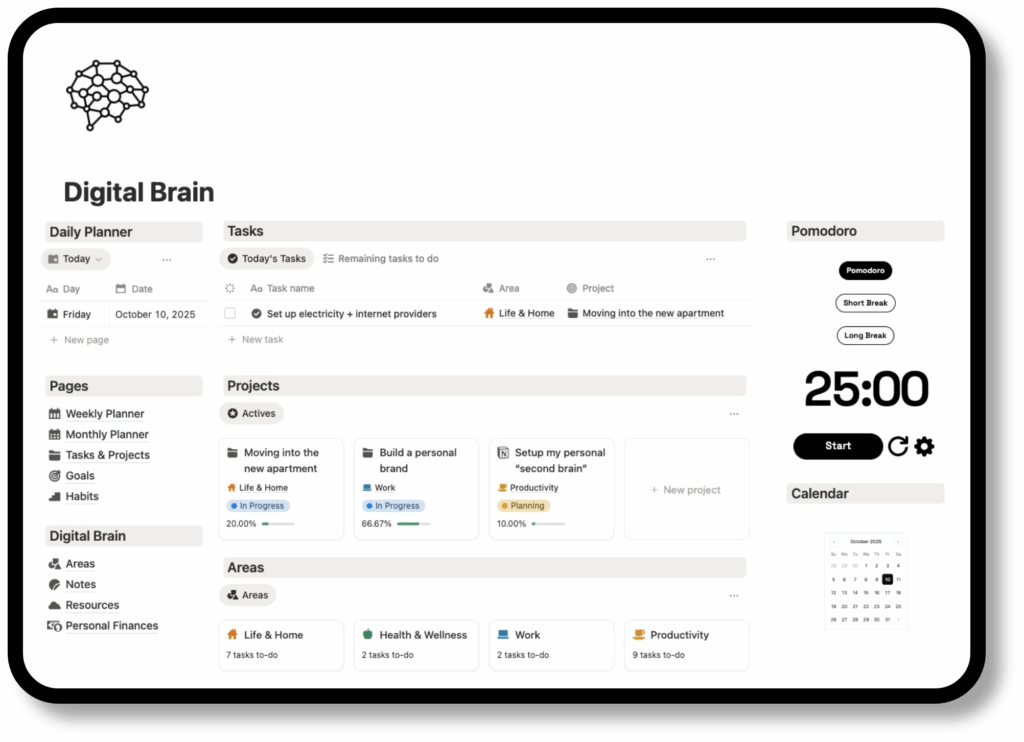
This isn’t just a planner; it’s a all-in-one Notion Digital Planner template. Designed to replace your todo list, finance apps, and habit trackers with one cohesive dashboard.
What’s inside the Digital Planner?
Daily & Weekly Planner
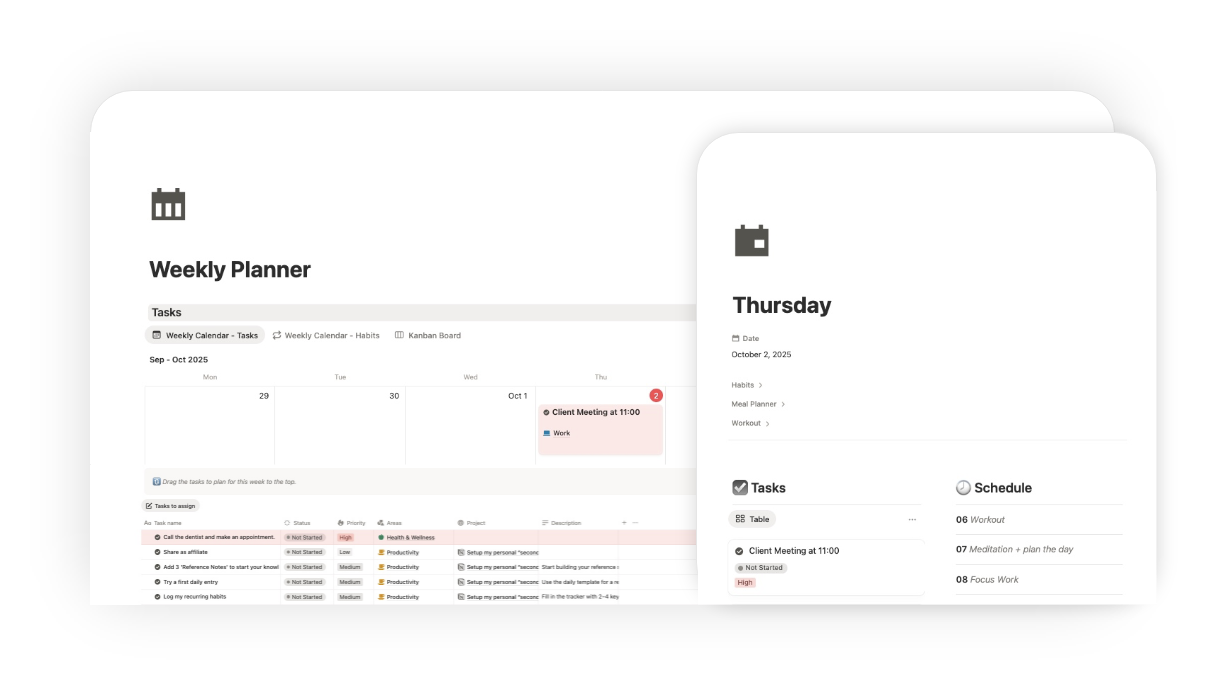
Stop waking up without a plan. This module integrates Daily and Weekly views to help you execute with precision. Use Time Blocking to schedule your deep work sessions and perform a Weekly Review every Sunday to migrate unfinished tasks. Whether you prefer a calendar view or a simple checklist, your schedule adapts to your rhythm.
Task & Project Manager
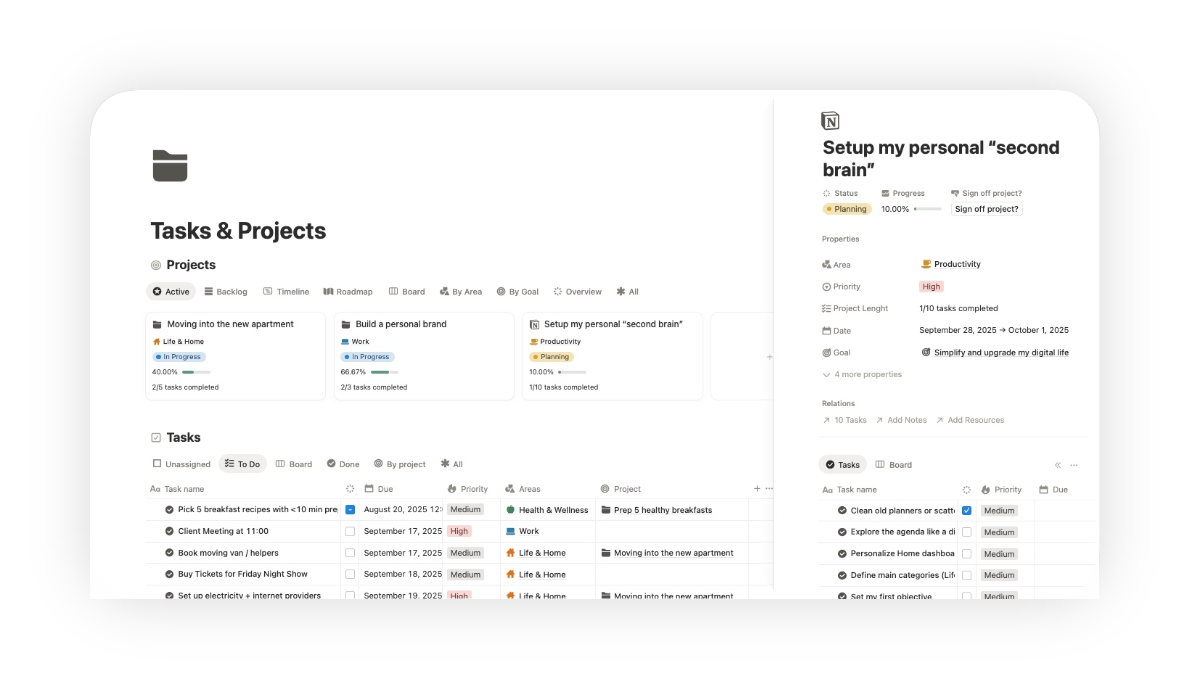
Your to-dos shouldn’t be scattered. Based on GTD (Getting Things Done) principles, this system lets you capture tasks instantly and organize them by context or priority. visualize your workflow using Kanban boards, timelines, or list views. Connect every task to a larger project to ensure you are always moving the needle on what matters.

Goals & Habits Tracker
Motivation needs visualization. Break down your big annual resolutions into actionable SMART goals. The integrated Habit Tracker allows you to monitor your daily routines—like reading, meditation, or gym—with streak counters and automated progress bars. See exactly how your small daily wins contribute to your life vision.
Second Brain & Personal Finances
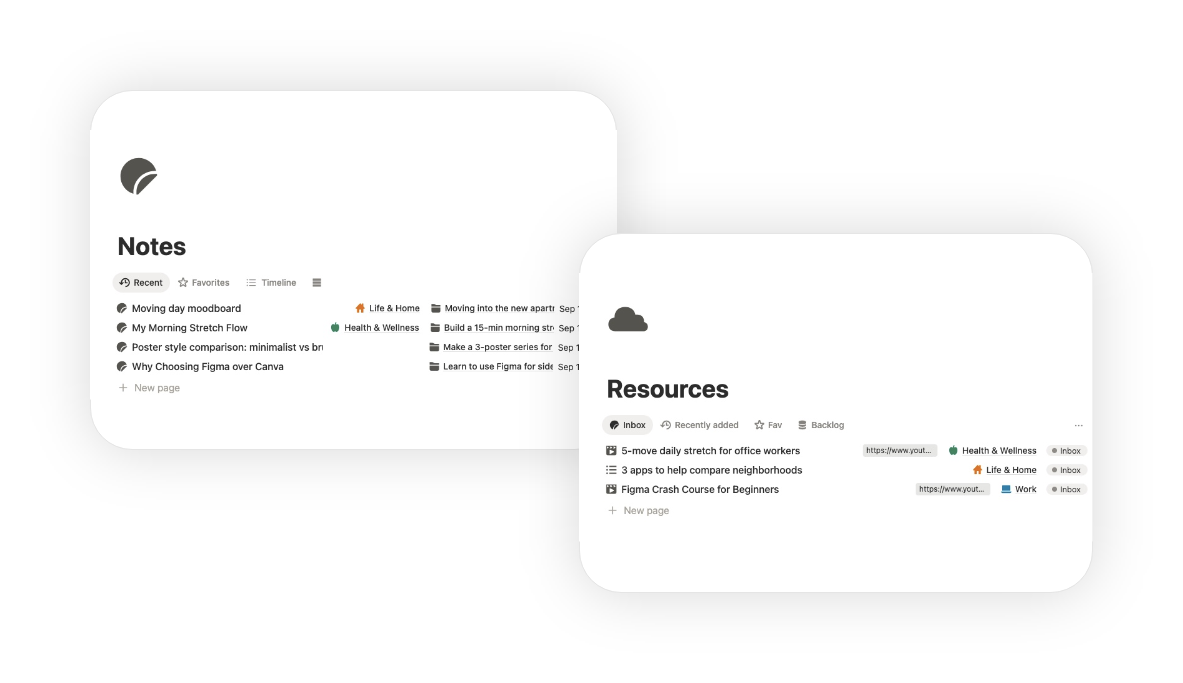
A true Life OS covers more than just work. Build your Second Brain (inspired by Tiago Forte) to organize notes, resources, and ideas using the PARA method. Simultaneously, take control of your money with the Finance Tracker: manage subscriptions, track monthly expenses, and set budget limits all within the same dashboard.
Productivity Dashboard

Unlike basic templates, this planner is an all-in-one productivity system:
✅ Daily, weekly & monthly planners to keep you on track
✅ Task & project manager with Kanban, calendar and list
✅ Goal setting & habit tracker to stay accountable
✅ Digital Brain for notes, areas & resources
✅ Clean, minimal dashboard – no clutter, just clarity
This is more than a planner – it’s your digital second brain in Notion.
Digital Planner Templates
Browse the main sections of the Notion digital planner:
Planning Templates
Daily Planner
A core part of any digital planner is the daily view. This template helps you time-block your schedule hour-by-hour and prioritize tasks using the Ivy Lee method. Instead of a static paper agenda, move uncompleted tasks to tomorrow automatically.

Weekly Planner
Zoom out to visualize your entire week. Perfect for your Sunday Reset routine, this view allows you to balance appointments with deep work sessions. Use the built-in weekly review section to reflect on wins, migrate unfinished tasks, and plan your capacity for the days ahead.

Monthly Planner
Shift from execution to strategy. The Monthly Planner offers a calendar view to track important deadlines, birthdays, and major events. Break down your big yearly objectives into manageable monthly milestones so you never lose sight of the big picture while working on the details.
Tasks & Projects

Task Manager
More than a simple checklist. This advanced manager implements GTD (Getting Things Done) principles. Capture ideas in the Inbox, assign due dates, and filter by priority or context. Whether you prefer a list or Kanban board, keep your to-dos organized and actionable.

Project Management
Manage complex endeavors with ease. This module links tasks to larger projects, allowing you to track progress with visual progress bars and timeline views. Ideal for freelancers or students managing coursework who need to track deliverables and deadlines across multiple weeks.

Goal Tracker
Turn dreams into reality using the SMART goals framework. Define your quarterly or yearly objectives (OKRs) and link them directly to your daily habits. This system ensures your everyday actions align with your long-term vision, keeping you motivated with visual progress tracking.
Life Planners

Life Planner
Your personal hub for lifestyle design. This dashboard centralizes your personal growth: track your reading list, plan your next vacation with the travel planner, and manage your bucket list. Organize the fun parts of life with the same precision as your work.

Health & Fitness
Prioritize your well-being without downloading extra apps. Plan your weekly meals with an integrated grocery list generator and log your workouts to see strength gains over time. Whether it’s yoga, running, or gym sessions, keep your fitness journey consistent.

Work
Separate your professional chaos from your personal peace. Use this dedicated workspace for meeting notes, managing client relationships (Simple CRM), and tracking career development. Keep your professional documents and work sprints organized in a distraction-free environment.
Who is this planner for?
This template is perfect for:
🎓 Students who want to organize classes, projects, and exams
💼 Professionals working remotely or managing side projects
🚀 Entrepreneurs & creators building their personal brand
🧘 Anyone who wants to improve productivity, wellness, and focus
If you’re looking for the best Notion planner for 2025, this one was built for you.
Get started today
Don’t wait to get organized. With this all-in-one Notion Digital Planner, you’ll save time, reduce stress, and finally stay on top of everything that matters.
Why Choose a Notion Digital Planner over Paper or PDF?
Making the switch from a traditional paper notebook or static PDF apps (like GoodNotes or Notability) can feel like a big leap. But while paper offers nostalgia, a Notion Digital Planner offers dynamic power. Here is why thousands of people are upgrading their planning system:
Dynamic Databases vs. Static Pages
“In a paper agenda or an iPad PDF planner, a task is just ink on a page. In Notion, a task is a database entry. This means you can filter, sort, and view your to-dos in multiple ways—as a calendar, a Kanban board, or a timeline—without rewriting a single word. Your data works for you, adapting to your workflow instantly.”
Infinite Scalability & Searchability
“Never run out of pages again. Unlike physical notebooks that get filled up and shelved, your Notion workspace grows with you. Plus, everything is 100% searchable. Find that meeting note from six months ago in seconds just by typing a keyword, something impossible with analog journals.”
All Your Life in One Ecosystem
“Why fragment your life? Paper planners can’t hold your videos, heavy files, or live links to your Google Drive. This Notion Life OS centralizes everything. Embed your Spotify playlists for deep work, link your financial spreadsheets, and attach lecture slides directly to your study schedule. It’s not just a planner; it’s your entire digital headquarters.”
Sync Across All Devices
“Your planner should be where you are. Whether you are on your laptop at work, your iPad in class, or checking your grocery list on your phone, Notion syncs in real-time across the cloud. Your system is always accessible, ensuring you never miss a deadline just because you left your notebook at home.”