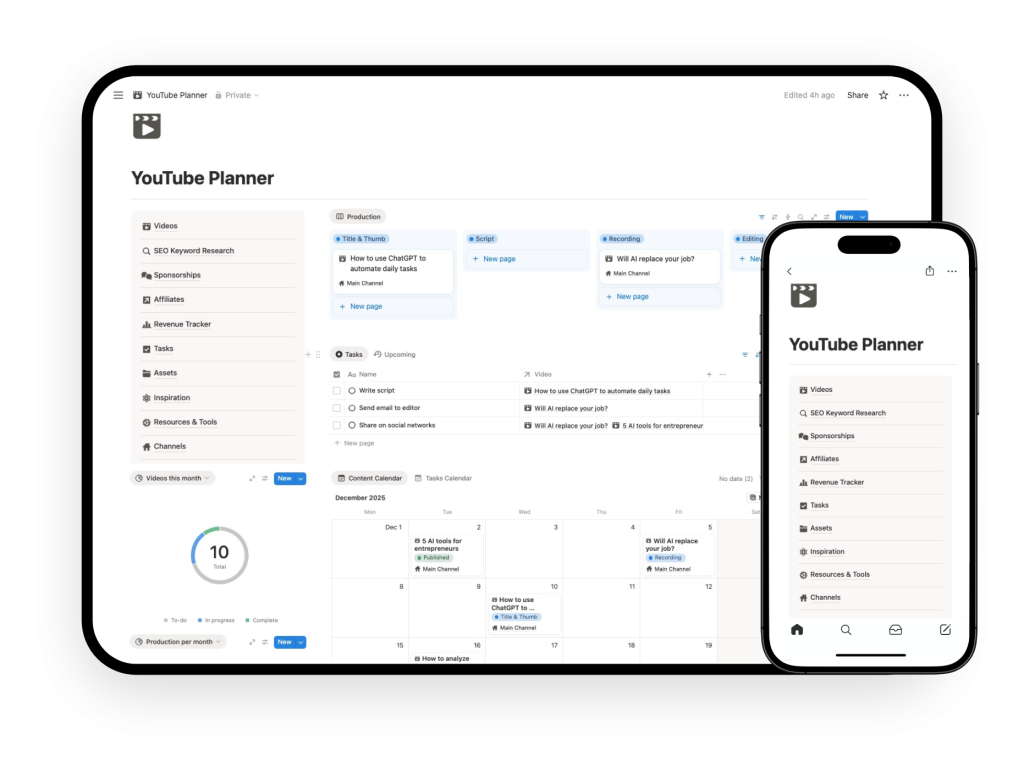
Notion YouTube Content Planner Template
Plan your YouTube content calendar, organize video ideas, and manage your publishing pipeline in one clear Notion template for YouTube.
Notion YouTube Content Planner Features
The Notion YouTube Content Planner is a template designed to help you plan and organize your YouTube content in one place.
Instead of managing ideas in random notes, tracking deadlines in a separate calendar, and trying to remember what is coming next, this template gives you a clearer editorial system inside Notion.
It is built for the planning side of running a YouTube channel.
That means it helps you manage content ideas, your publishing calendar, your backlog, and the flow of videos moving from concept to scheduled content. If your channel feels inconsistent because your planning is scattered, this template is designed to fix that.
This is not a full YouTube operating system by itself.
It is the content planning module focused on helping you build a more structured publishing workflow.
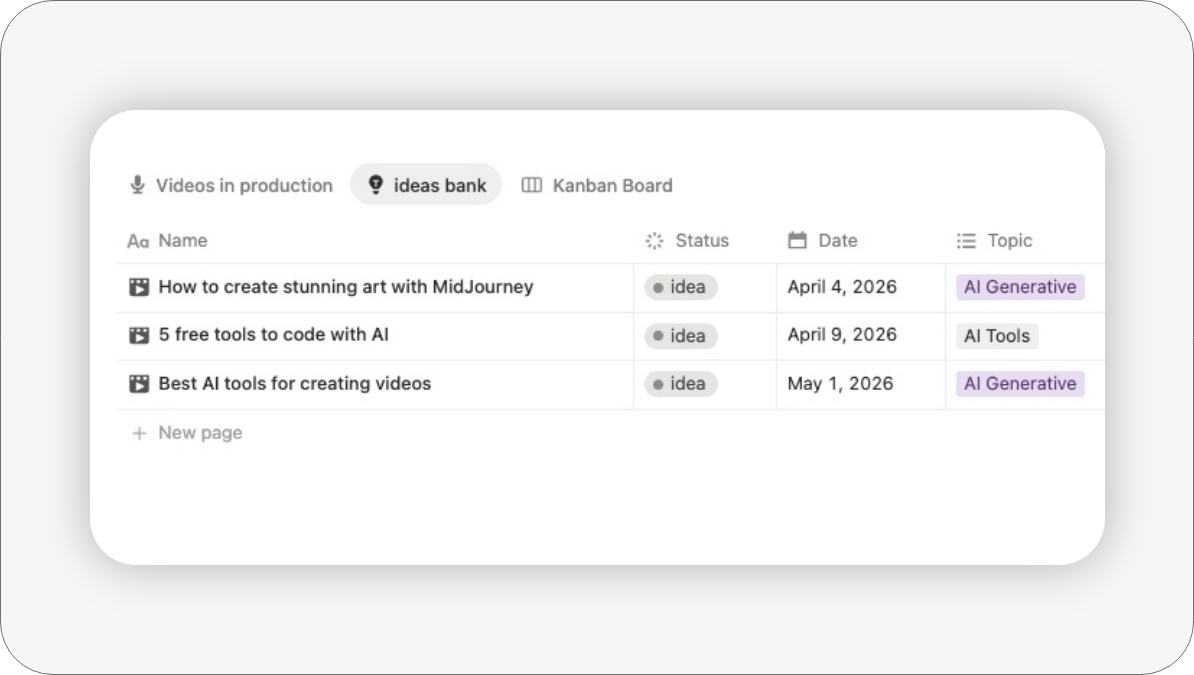
Quickly capture video ideas
Brainstorm and store all your raw concepts, titles, and hooks in a dedicated database so you never lose a viral idea again.

Video Production queue
Maintain a structured repository for future projects. Filter and sort your video backlog by niche, format, or search volume potential.

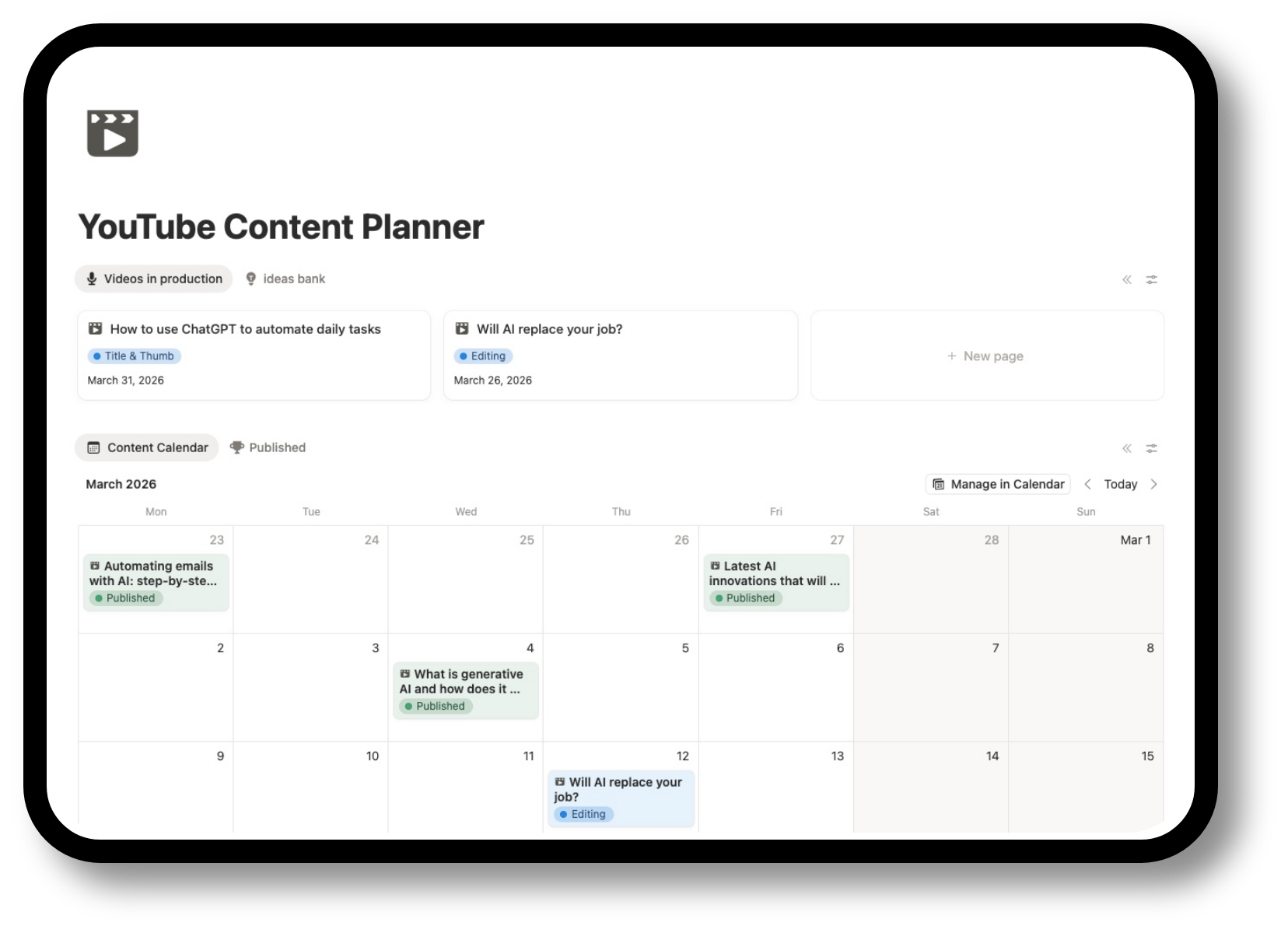
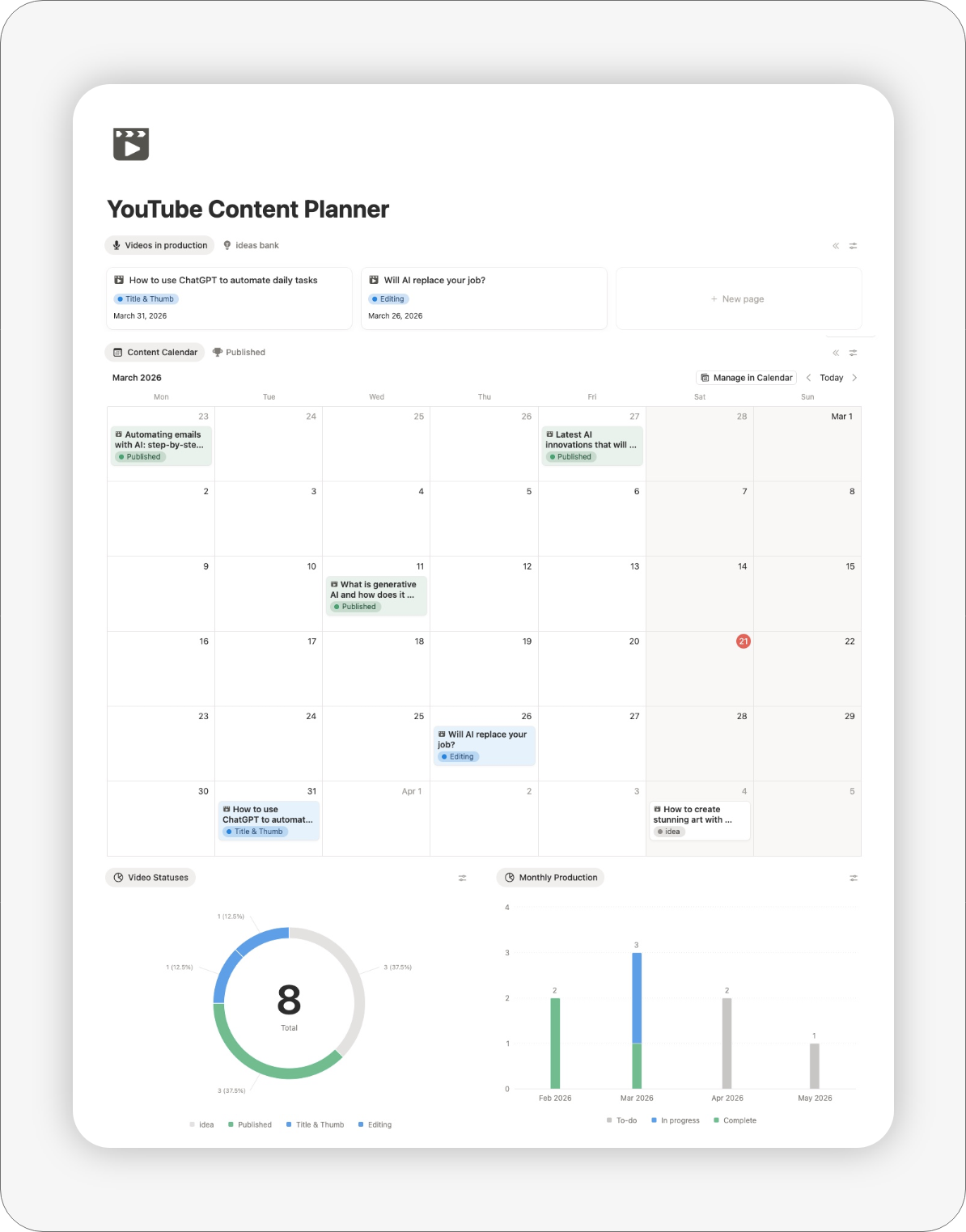
Visual Editorial Calendar & Content Scheduling
The planner gives you a central place to map upcoming content and structure your publishing schedule. This makes it easier to maintain consistency and avoid planning your channel one video at a time.
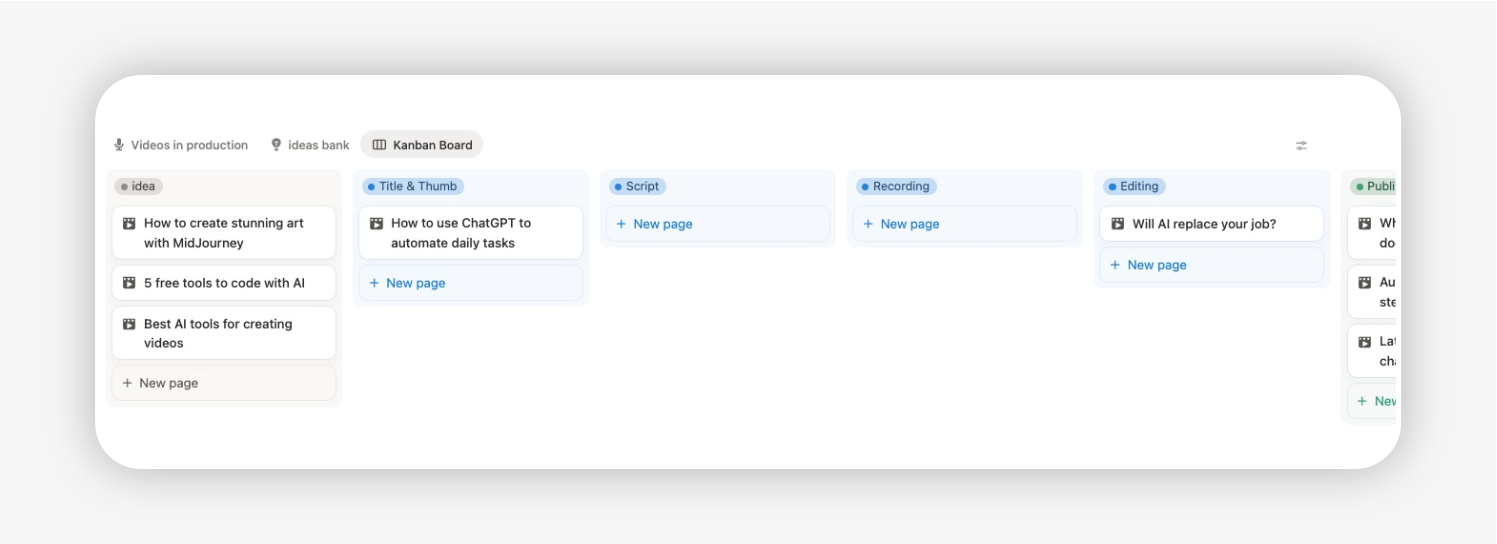
Kanban Production Pipeline (From Concept to Upload)
You can move content through clear workflow stages (idea, script, filming, editing, and publishing) so you always know what is still an idea, what is being prepared, and what is getting close to publish-ready.

Monthly Progress & Analytics
Track how much content you planned, completed, and published each month. Visual progress indicators make it easy to evaluate productivity and plan ahead.
How it works
- Duplicate the template into your Notion workspace
- Add your platforms and content categories
- Capture ideas in the Idea Bank
- Schedule content in the calendar
- Move each item through the production workflow
- Track progress and publishing output automatically
No setup complexity. No technical knowledge required.
This template is part of the full Notion YouTube Planner
This Notion YouTube Content Planner is part of the full Notion YouTube Planner.
If you only need help with planning your content calendar, backlog, and publishing workflow, this module may already cover what you need.
But if you want a more complete system for running your channel, the full planner expands this with connected modules for:
- script organization
- individual video management
- monetization tracking
- sponsorship tracking
Explore the full Notion YouTube Planner if you want one connected system for planning, production, and channel operations.