
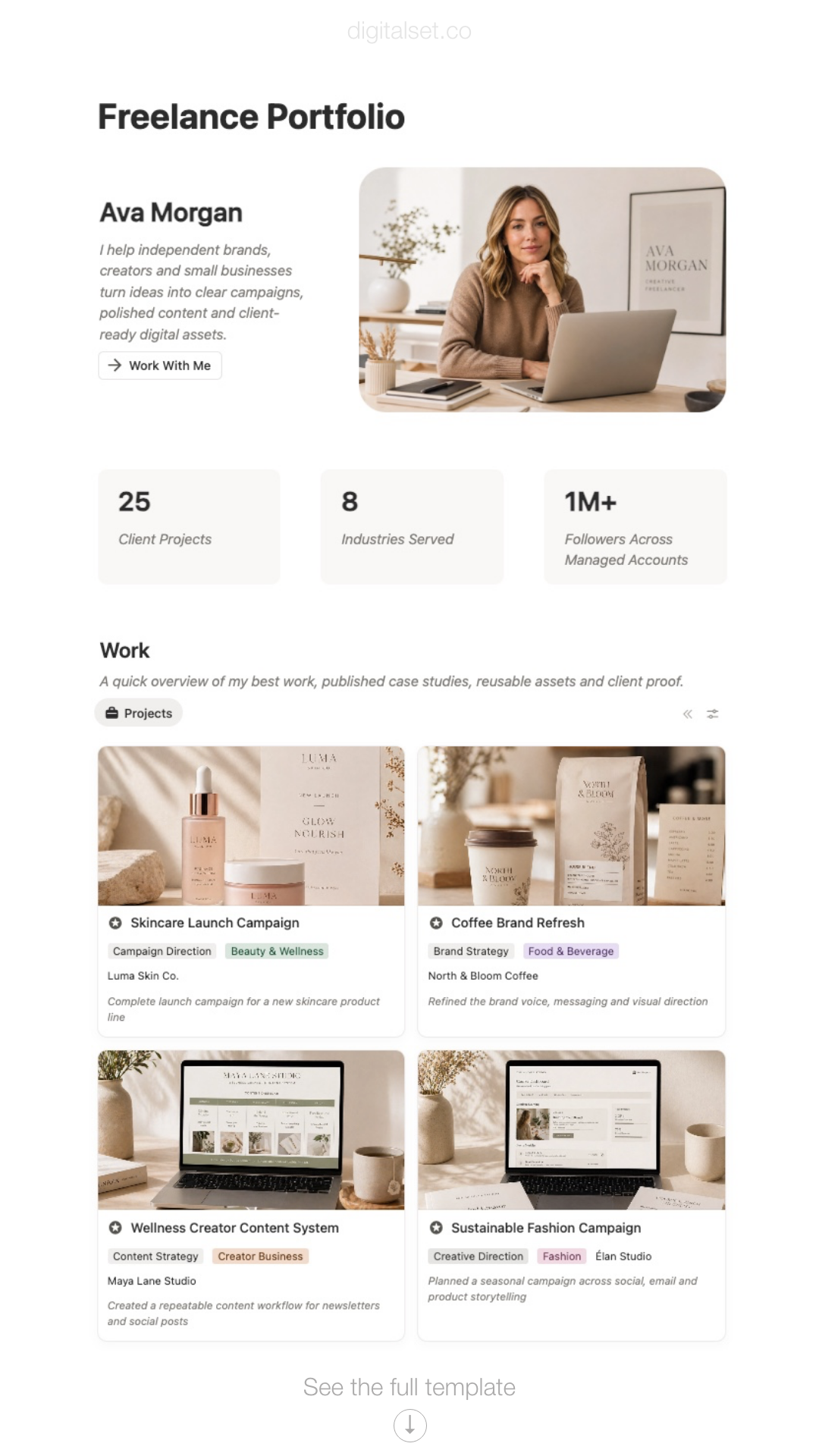
Notion Freelance Portfolio Template
Show your work, organise case studies and present your services with a Notion freelance portfolio template built for designers, photographers, developers, copywriters, marketers, consultants and other freelance professionals.
Inside the freelance portfolio template
This is a Notion template designed to help freelancers organise the work behind their portfolio, not just the final page people see.
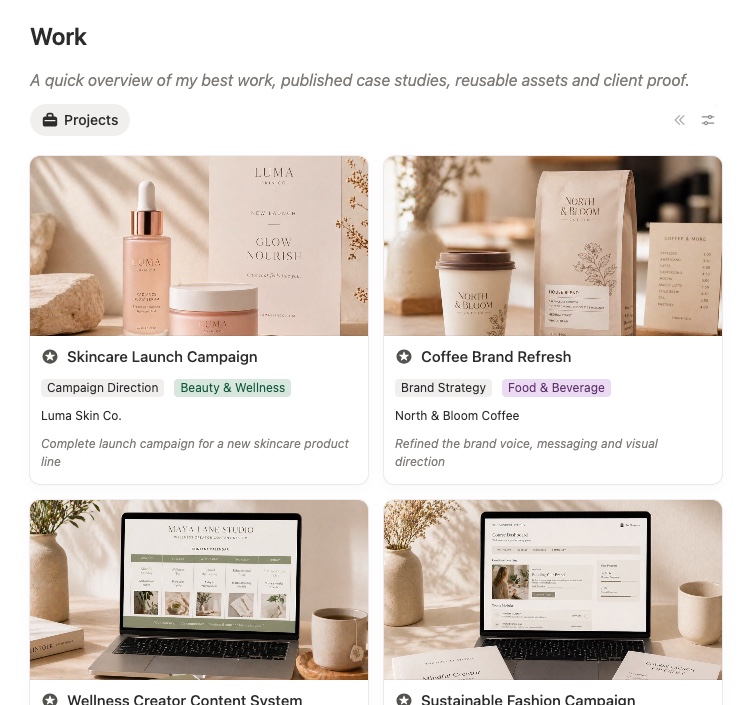
Portfolio projects
Keep your completed work organised in one place so you can review, select and present the strongest examples more easily.
This gives you a more reliable foundation for building a professional portfolio instead of relying on scattered past files.
Case studies
Turn finished work into structured case studies with clearer project context, goals, process and outcomes.
This makes it easier to explain the value of your work instead of only showing final visuals or links.
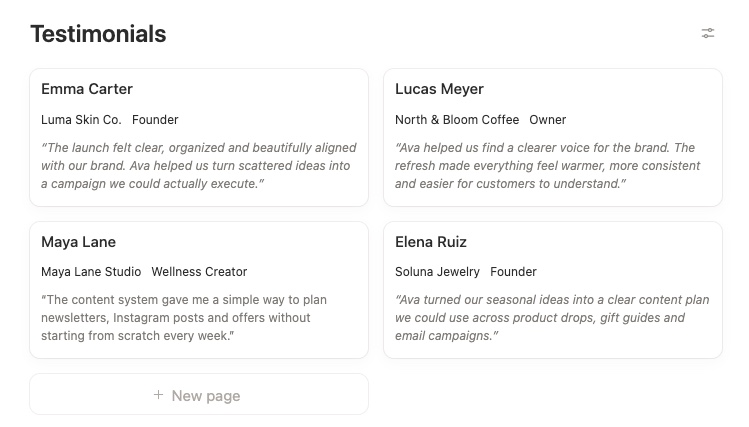
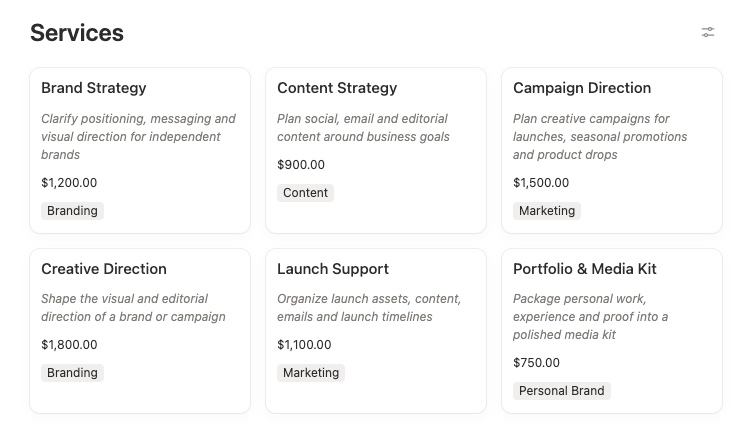
Services and positioning
Keep your services, offer and core expertise more clearly defined inside the same workspace.
This helps your portfolio feel more coherent and makes it easier to align your work examples with the kind of clients you want to attract.
How to create a freelance portfolio using notion
You do not need to build your full portfolio in one sitting. The easiest way to begin is with a small selection of work you already know is worth showing.
Step 1: Add your best projects
Start with a few relevant examples instead of trying to document everything at once.
Step 2: Add project context
Write a short summary of the client, the type of work, the challenge or the goal behind each project.
Step 3: Collect supporting proof
Add screenshots, deliverables, results, testimonials or notes that help explain the value of the work.
Step 4: Define what should be featured
Use the template to separate your strongest portfolio pieces from projects that are useful internally but not worth showcasing publicly.
Step 5: Update it as new work is completed
The real value of the template comes from keeping your portfolio organised continuously, not only when you urgently need to send it to a client.
The goal is not just to create a prettier portfolio. It is to make your work easier to organise, explain and reuse whenever you need to present yourself professionally.
Who this template is for
This portfolio template is designed for freelancers and solo professionals who want a clearer system for organising and presenting their work in Notion.
Designers
Ideal for freelance designers who want to showcase branding, websites, ecommerce work, visual systems or client projects more clearly.
Photographers and videographers
Useful for professionals who need to organise shoots, selected work, visual assets and project stories in a more structured way.
Web designers and software engineers
A strong fit for freelancers who want to present websites, builds, digital systems and project outcomes with more context.
Writers, copywriters and marketers
Helpful for freelancers who want to turn campaigns, content projects and client results into stronger case studies and proof of work.
Consultants and strategists
Well suited to solo professionals who need to present service experience, strategic work, project results and expertise more clearly.
Need more than a freelance portfolio?
If you also want to manage clients, projects, tasks and business documents in the same workspace, explore the full Freelance OS.

Frequently asked questions
How to publish your portfolio website
1. Click on Share on the top right corner
2. Click on Share to web
3. Toggle off “Allow duplicate as template”
4. Copy web link to share your portfolio page
What is a freelance portfolio template?
A freelance portfolio template helps you organise completed work, case studies, proof of results and service information in a clearer system.
Do I need a public website to use this template?
You can use the template as your internal portfolio system first, then decide later how you want to publish or share that work.
Organise your work and present it more clearly
If you want a better way to structure projects, case studies and proof of work in Notion, this portfolio template gives you a cleaner system you can build on over time.