A good ecommerce inventory management template helps centralize that information and turn inventory into a workflow you can actually manage. Instead of checking multiple places, updating stock from memory, or reacting too late when something runs out, you get one simple system for tracking products, stock levels, and restocking priorities.
Below, you’ll learn what a good inventory template should include, how to use it with Notion and a free inventory management template that you can download.

Table of Contents
What an inventory management template should actually help you do
A useful inventory tracker template should do more than list products in a table. The real goal is to make inventory easier to manage on a day-to-day basis.
A good inventory management template should help you:
- track current stock levels in one place
- organize products clearly
- monitor low-stock items before they become a problem
- set simple reorder points
- keep restocks visible
- reduce stock mistakes, overselling, and unnecessary confusion
This is why many business owners eventually move beyond disconnected notes or a bare-bones spreadsheet. They do not just need a list. They need a simple inventory tracking template that supports actual decisions.
Whether you sell a handful of products or manage a growing catalog, the best stock management template is the one that gives you visibility without making the process more complicated than it needs to be.
Who this inventory management template is for
This kind of template works best for businesses that need a lightweight but structured way to track physical products.
Small ecommerce businesses
If you run a small online store, inventory can quickly become messy when products, stock updates, and restocks are tracked manually. A clear system helps you see what is available, what needs attention, and what should be reordered next.
Product-based small businesses
This also works well for handmade businesses, home-based brands, local shops, and side-hustle sellers who want a more organized way to manage products. You do not need a large warehouse or advanced inventory software to benefit from better structure.
Founders who want a simpler stock system
Many solo founders and very small teams reach a point where spreadsheets start feeling limiting. The problem is not always scale. Sometimes it is simply the lack of visibility.
A simple small business inventory system can make a real difference when you want to:
- stop relying on memory
- avoid missing low-stock items
- keep product information organized
- review inventory more consistently each week
This kind of setup can work whether you sell through your own store, marketplaces, social channels, or a mix of them.
Key features to look for in an inventory management template
Not every template is equally useful. The best ones are usually simple, but they still include the right structure.
Product database
At the core, you need one place to store all your products. That should include product names, categories, SKUs, and any basic notes that help you identify or organize inventory clearly.
Stock level tracking
You should be able to see current stock for each item without digging through multiple tools. This is the foundation of any inventory visibility system.
Low-stock visibility
A good template should make low-stock items obvious. If you have to manually scan the full database to find what needs attention, the system creates friction instead of removing it.
Reorder point tracking
Simple reorder point tracking helps you define when an item needs to be restocked. This is especially useful when you want to avoid running out of popular products or key materials.
Simple daily views
A strong template should not force you to work from one giant table all the time. It should make daily use easier through practical views like:
- all inventory
- low stock
- reorder needed
- recently updated
Optional supplier or purchase notes
Depending on your business, it can also help to store supplier names, lead times, or restock notes alongside each item. Even a lightweight system becomes much more useful when key context is easy to find.
In short, a good inventory management in Notion setup should support a repeatable stock tracking workflow, not just act as a static list.
Why Notion works well for inventory management
Notion works especially well for small inventory systems because it is flexible enough to organize products and stock without forcing you into complex software.
One place for products, stock, and notes
Instead of splitting information across spreadsheets, notes, and messages, you can keep everything in one place. That alone makes inventory easier to review and maintain.
Flexible database structure
Notion lets you build a product database around the way your business actually works. You can keep the structure simple or add more detail over time as your operations grow.
Custom views for daily operations
One of the biggest advantages of using Notion is that you can create views that reduce clutter. For example, instead of always looking at every product, you can jump straight into a low-stock view or a reorder-needed view.
Better visibility than scattered documents
Many businesses do not need enterprise software. They simply need a clearer way to see what is happening. Notion is useful here because it gives you more operational context than scattered documents, without becoming overly technical.
Useful for solo founders and small teams
This kind of setup is particularly practical for businesses that want a lighter operational system. It works well when the goal is clarity, consistency, and easier weekly review.
Notion is especially useful when you want more context than a spreadsheet can comfortably handle, without moving into a heavy inventory software setup.
How to make an inventory tracker
A template becomes much more useful when it supports a repeatable process. You do not need a complicated system. You just need a workflow you can maintain consistently.
1. Add your products
Start by creating one clean product list. Include the product name, SKU, and category for each item. Keep naming consistent so the system stays easy to update.
2. Log your current stock
Enter your current quantities so you have a starting point. This gives you a snapshot of your stock today and creates a baseline for future review.
3. Set reorder thresholds
Decide the minimum level at which a product becomes low stock. This makes it easier to spot issues before they turn into stockouts.
4. Review low-stock items weekly
Once a week, check your low-stock view. This quick habit makes the whole inventory workflow more reliable and keeps restocking from becoming reactive.
5. Update after restocks or sales
A template only works if it stays current. Update quantities after major sales periods or when new stock arrives so the system remains useful.
6. Use views to simplify decisions
Keep the workflow practical by using a few focused views, such as:
- all products
- low stock
- reorder needed
A simple stock management workflow is often enough to remove a lot of operational friction. The goal is not to build a perfect system from day one. It is to create a system you will actually use.
What a simple inventory template might include
At a minimum, a practical template should include a few core properties and views that make daily tracking easier.
Core properties
A simple inventory template might include:
- product name
- SKU
- category
- current stock
- reorder point
- stock status
These fields already cover the essential job of a lightweight inventory tracking template.
Useful views
To make the system more usable, helpful views might include:
- all inventory
- low stock
- reorder needed
- recently updated
Views are what turn a raw database into something easier to operate week after week.
Optional fields
Depending on your business, you may also want to include:
- supplier
- cost
- restock date
- notes
- variant details
The best structure depends on how much complexity your business actually needs. In many cases, a lean template is more useful than a bloated one.
If you want inventory to live inside a wider operating system, it usually makes more sense to use it as part of a broader ecommerce workflow.
Related workflows that become important as your ecommerce grows
As inventory becomes more structured, it usually connects with other parts of your operations too.
For example, if you sell on Etsy, inventory often becomes tied to order handling and listing organization. That is where related workflows start to matter more.
You can explore those related processes here:
These are not necessary for every small business, but they become more relevant when inventory starts interacting with a broader selling workflow.
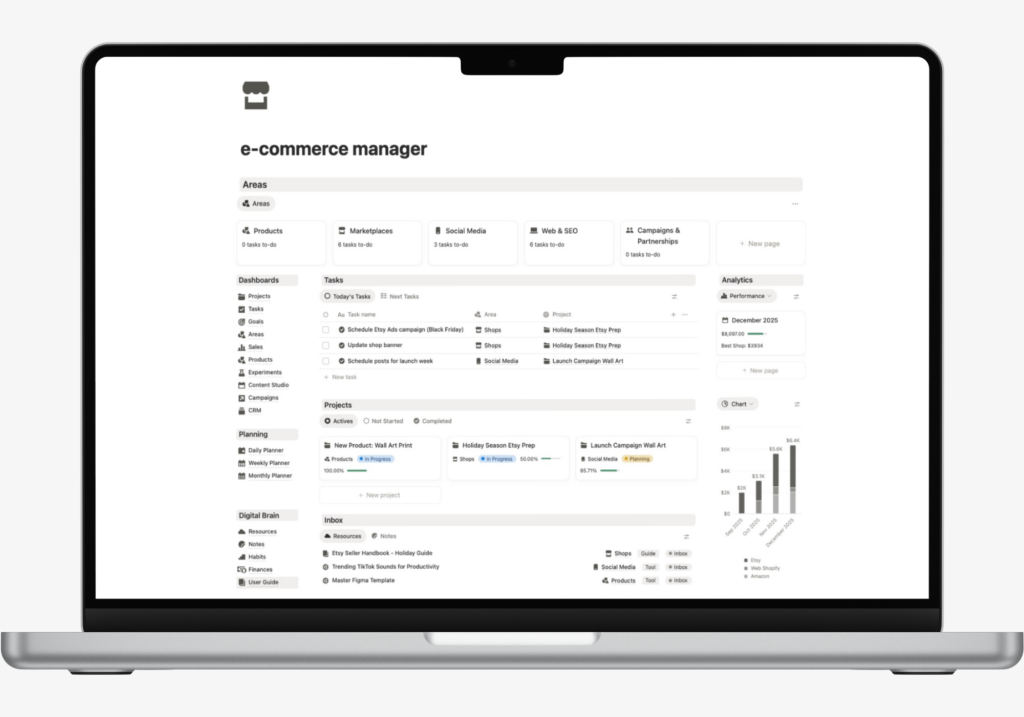
If your goal is to bring stock, products, and operations into one cleaner workflow, explore the Ecommerce Business Template.